
Christmas Ornament for 2025, or an introduction to 3D Printing with Blender Geometry Nodes
For Christmas 2025 I made a small wreath ornament in Blender's Geometry Nodes, then 3D printed it for friends and family. Here is a 3D preview you can rotate and zoom:
Concept
I wanted a small gift that would be fairly easy to print. I started with a miniature tree to hang on a tree, but found it easier to make a stylised wreath that looked good.
What you will learn here
This is a quick overview of how the tools fit together. We'll cover:
- a simple demo of how to create a wreath and berries with Blender Geometry Nodes
- exporting the model for 3D printing
- preparing the model for display on the web with React Three Fiber
Geometry Nodes
Blender's modifiers let you edit a model without changing its underlying geometry. With Geometry Nodes you can also build shapes procedurally, starting with primitives and combining them with boolean operations.
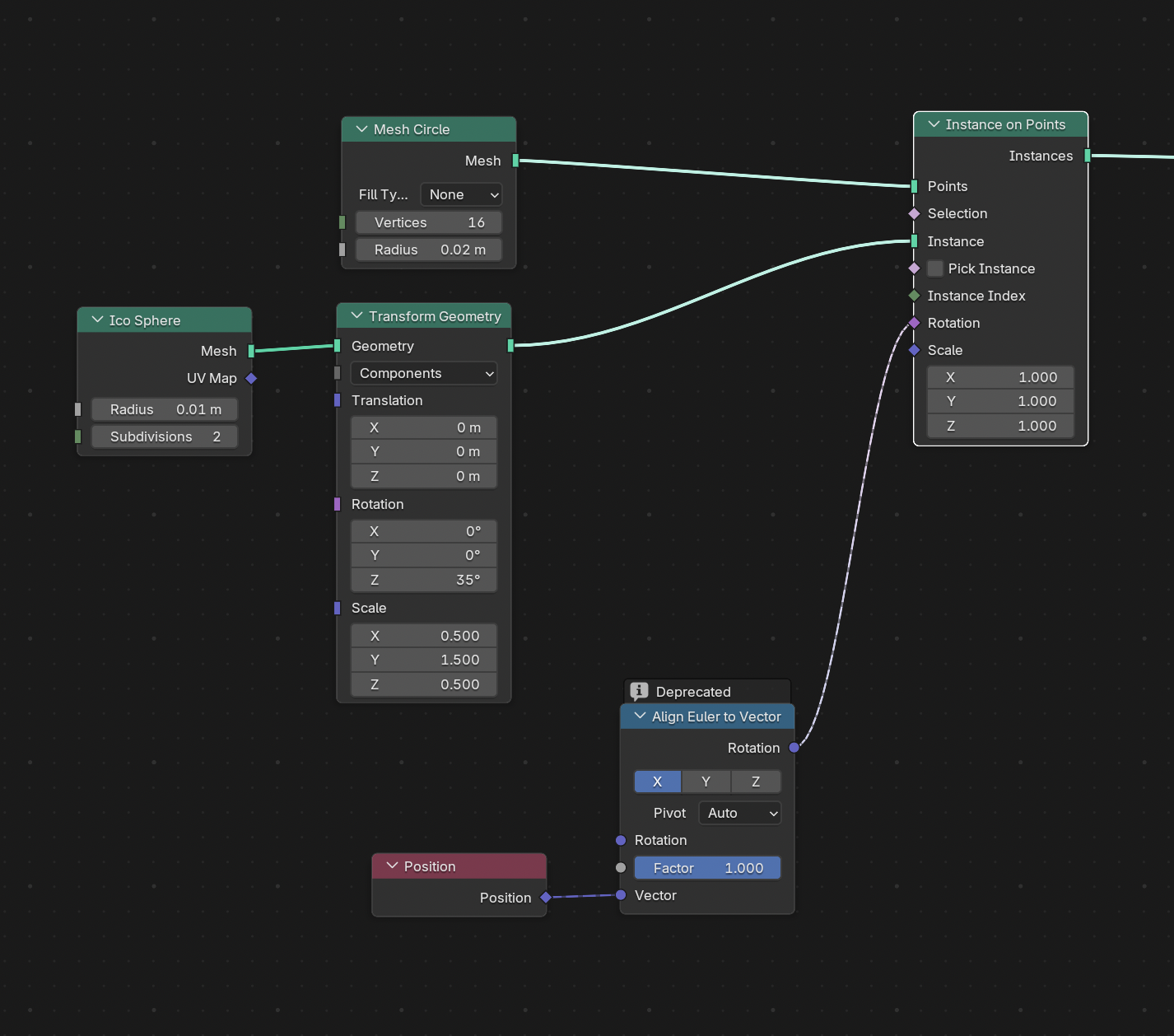
I used an icosahedron for each leaf, then scaled and rotated copies to make the wreath. The least obvious part was rotating each leaf to follow its position around the ring.
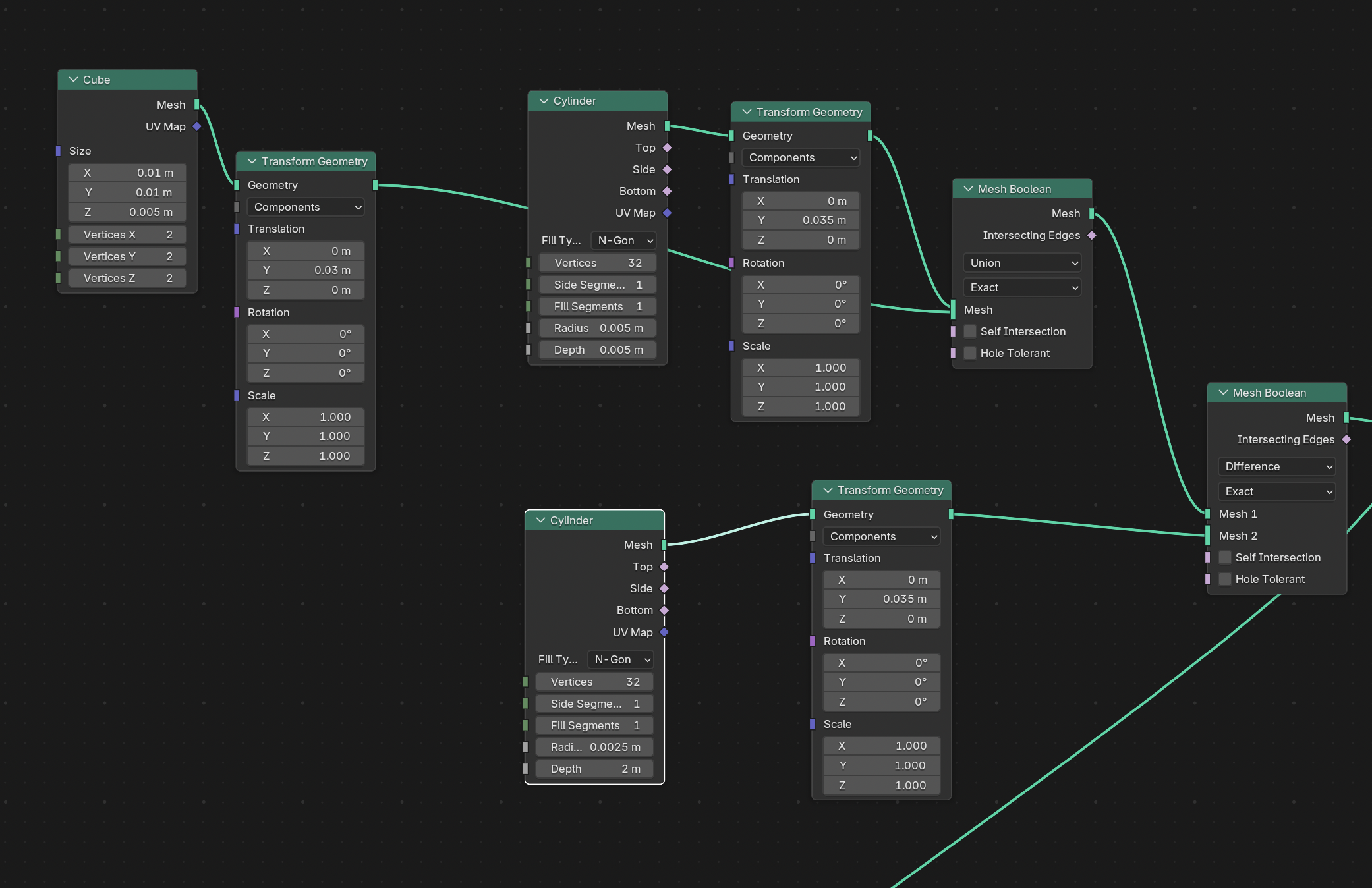
The loop for the ribbon was a little fiddly: it combines several primitives. I used the 'exact' boolean operation to get clean joins for 3D printing.
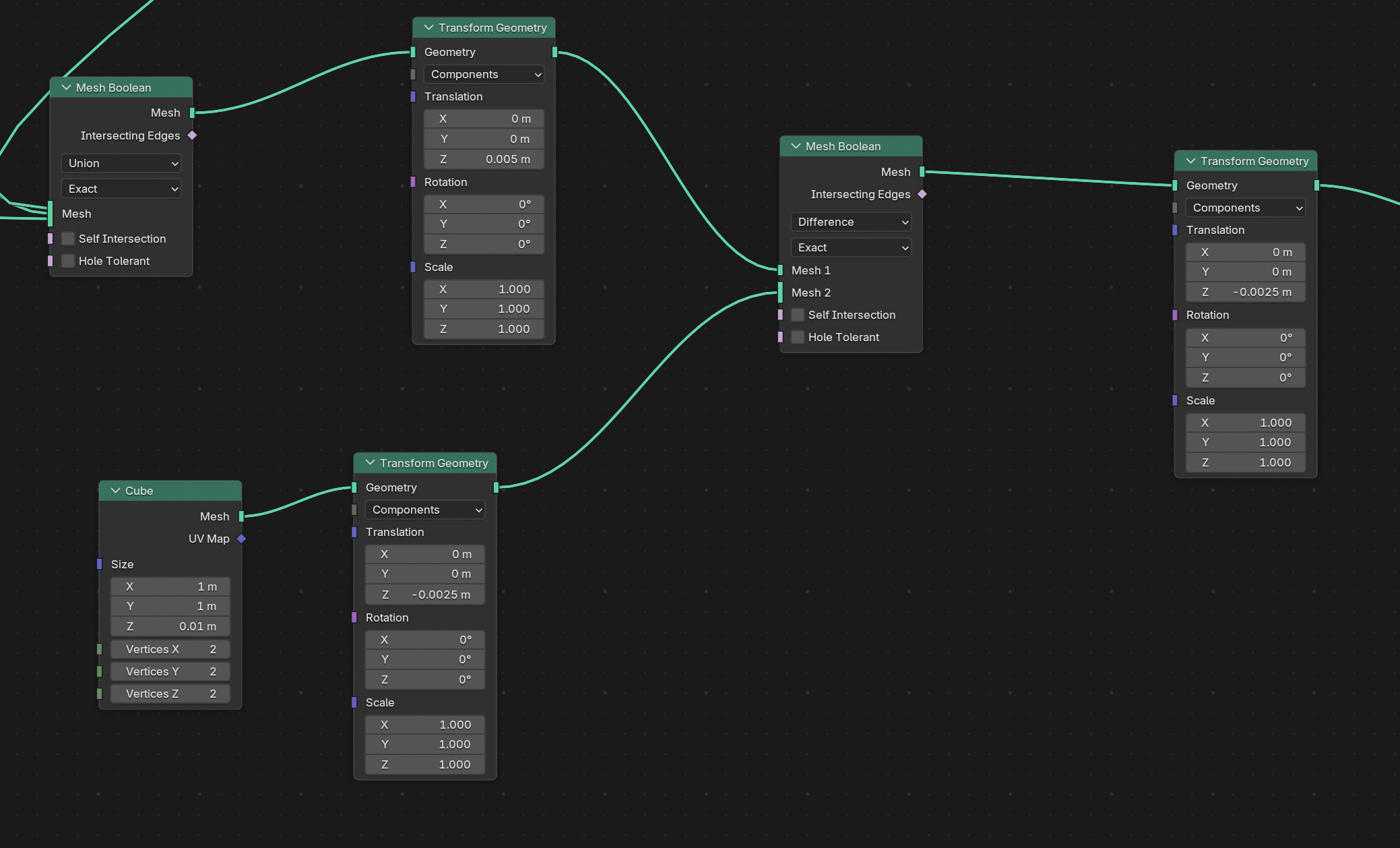
I combined these parts with more boolean operations, then cut away the bottom of the wreath to give it a flat base for printing.
I've left the berries out of the graph shown here. I spent far too long making their positions slightly irregular; a simpler arrangement would have been fine.
The finished model can be exported as an STL file for the printer software.
3D Printing
3D printing is much easier and faster than it used to be, though still less reliable than printing on paper. I used a Creality K2 Pro with sparkly green PLA for the leaves.
The berries sit near the top of the print, so I could change their colour by switching filament partway through. I tried a different colour for each batch.
Preparing it for the Web
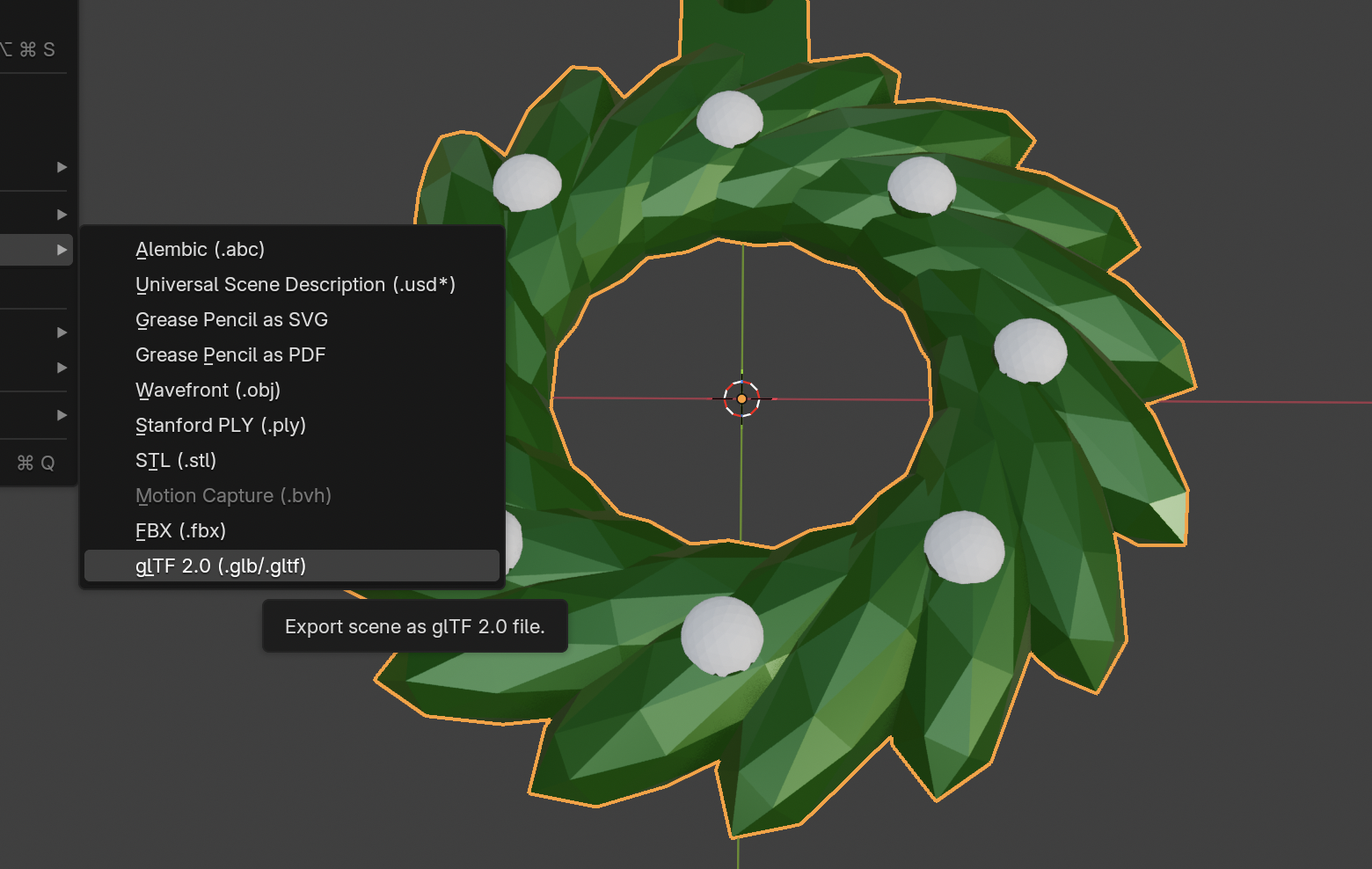
To show the model here, I exported it from Blender as a glTF binary (.glb) file:
Then I used gltfjsx to convert it into a React component for @react-three/fiber and @react-three/drei:
npx gltfjsx model.glb --transform
Here is the main component. Drei's Stage adds lighting and ground shadows, while OrbitControls lets you rotate and zoom with a mouse or touch:
import { Canvas } from '@react-three/fiber'
import { OrbitControls, Stage } from '@react-three/drei'
import { Wreath } from './Wreath'

export function Christmas2025() {
  return (
    <div className="h-[480px] rounded-lg shadow-lg">
      <Canvas>
        <ambientLight intensity={0.2} />

        <OrbitControls />
        <Stage intensity={0.3}>
          <Wreath />
        </Stage>
      </Canvas>
    </div>
  )
}
Concluding Thoughts
Geometry Nodes worked well for this small model. I could adjust the design without rebuilding it, then export it for both printing and display on the web.
I still find nodes a bit fiddly compared with writing code, for example with Replicad.
Learn More
- I mostly learnt about Geometry Nodes from Ducky 3D.
- Gemini helped with specific 'how do I do this?' questions, though some answers were out of date for Blender 5.
- The React Three Fiber introduction is a good starting point for displaying 3D models on the web.